
Portal Maps
Tired of digging through your spellbook for ports, or your toy box for that one hearthstone that goes somewhere useful? Now they're baked right into the map. Browse to the zone where the portal goes and click the button.
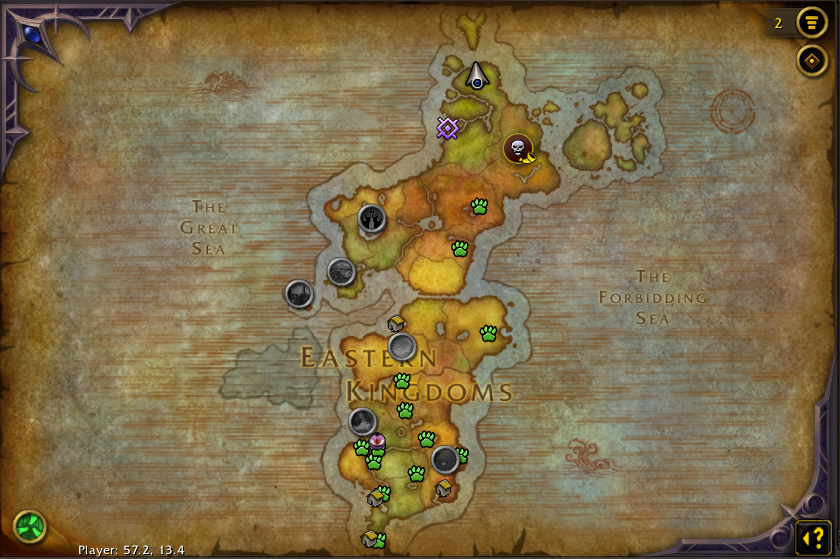
The World Map Becomes a Launch Pad
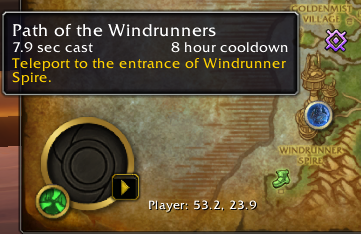
Open the World Map and you'll see a gold-ringed button wherever a teleport can take you — mage city teleports, class teleports like Moonglade and Death Gate, Mythic+ dungeon teleports sitting right on their dungeon entrances, engineering wormholes and transporters, and teleporting gear, items and toys.
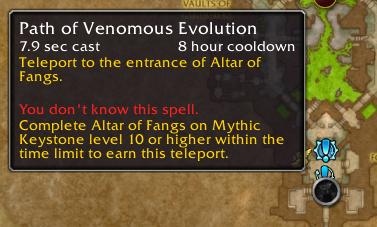
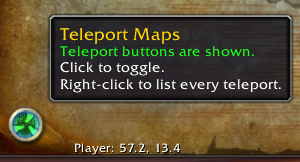
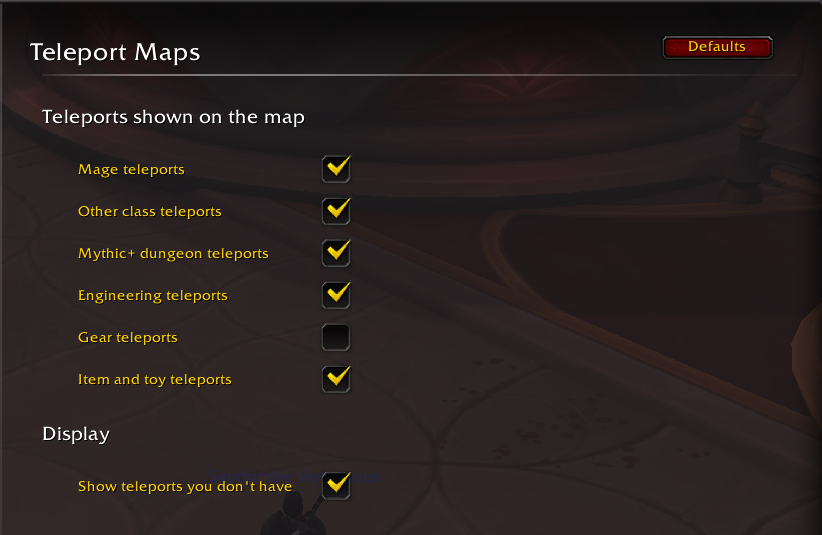
Click a button and it casts the spell or uses the item, then closes the map so you can watch yourself go. Teleports you don't have yet show up greyed out, with a tooltip that tells you how to get them. A browser window lists every teleport by continent or by Mythic+ season, and a settings page lets you choose which kinds appear.
What It Does
Buttons Where They Lead
City teleports sit in the middle of the city's map and over the same spot on its zone and continent maps. Dungeon teleports sit on the dungeon entrance. Wormholes sit mid-continent.
Click to Teleport
Spells are cast, toys are used, and items in your bags or equipped are used. Equippable teleports like Kirin Tor rings are equipped on the first click — click again once they're ready.
Greyed Out Until You Earn It
Teleports you don't have appear greyed out with a hint: who can learn it, the Mythic+ keystone level that earns it, or where the item comes from.
The Teleport Browser
A movable window listing every teleport, two per row, grouped by zone or by Mythic+ season. Each section shows how many you can use, for example Northrend (3/12).
One Click from Mythic+
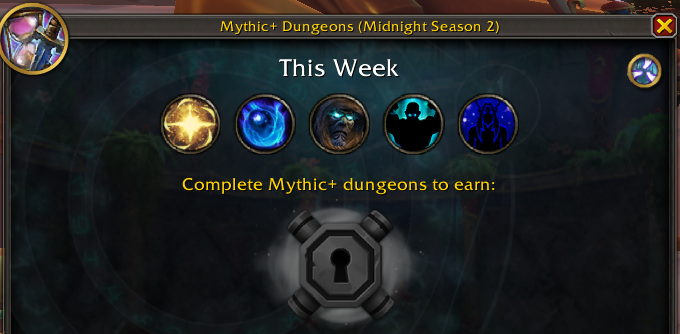
A portal icon on the Group Finder's Mythic+ Dungeons screen opens the browser on the current season, so this season's dungeon teleports are one click away.
Clean, Readable Map
Buttons stay the same size as you pan and zoom, show a cooldown sweep, and fan out around a shared spot instead of stacking. Teleports you can use get the true spot first.
A Look Inside
Real in-game screenshots.
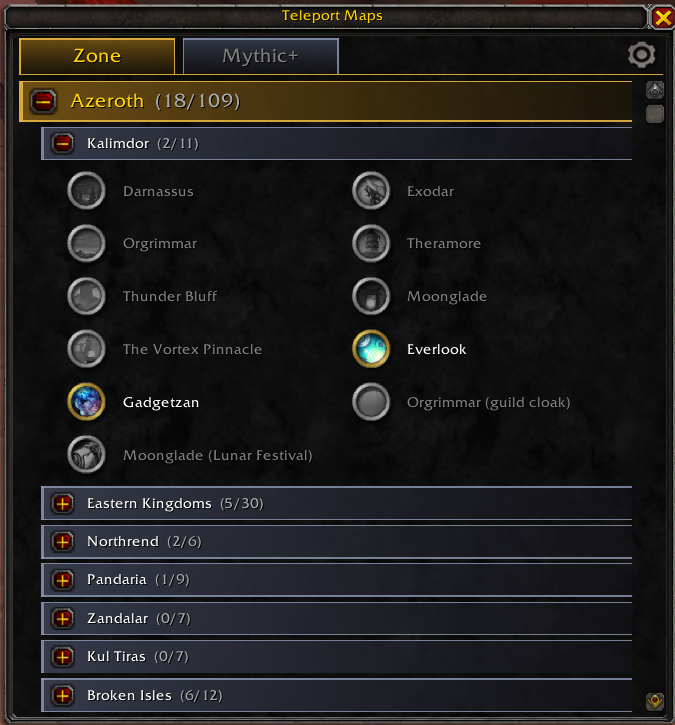
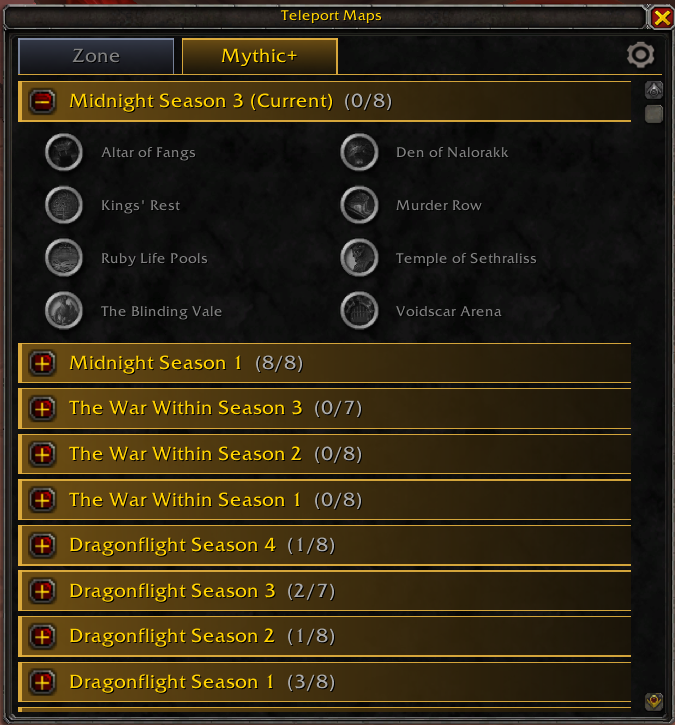
Supported Teleports
Mage Teleports
Alliance: Stormwind, Ironforge, Darnassus, Exodar, Theramore, Stormshield, Boralus. Horde: Orgrimmar, Undercity, Thunder Bluff, Silvermoon, Stonard, Warspear, Dazar'alor. Both: Shattrath, Dalaran (Northrend), Ancient Dalaran, Tol Barad, Vale of Eternal Blossoms, Hall of the Guardian, Dalaran (Broken Isles), Oribos, Valdrakken, Dornogal. Alliance and Horde versions of the same destination share one button.
Other Class Teleports
Druid: Teleport: Moonglade and Dreamwalk. Death Knight: Death Gate. Monk: Zen Pilgrimage. Warrior: Jump to Skyhold.
Mythic+ Dungeon Teleports
Every "Path of…" dungeon teleport from Mists of Pandaria to Midnight. Each dungeon entrance is matched against the game's teleport spells by name, so new seasons work without an update.
Engineering
Wormhole generators for Northrend, Pandaria, Draenor, Argus, Kul Tiras, Zandalar, the Shadowlands, the Dragon Isles and Khaz Algar, plus transporters to Everlook, Gadgetzan, Area 52, Toshley's Station and Mechagon.
Gear
Kirin Tor rings (all versions), Argent Crusader's Tabard, Baradin's Wardens and Hellscream's Reach tabards, guild cloaks, Violet Seal of the Grand Magus and Boots of the Bay.
Items & Toys
Jaina's Locket, Dalaran Hearthstone, Blessed Medallion of Karabor, Relic of Karabor, Time-Lost Artifact and Lunar Festival Invitation.
Hearthstones that go to your home inn, and teleports with random or player-chosen destinations, aren't included.
Slash Commands
/tpmaps | Prints what's on the current map: map ID, cursor coordinates, each visible teleport button, and every dungeon entrance with its matched teleport. |
/tpmaps browse | Opens or closes the Teleport browser. |
/tpmaps config | Opens the addon settings (also under Options › AddOns). |
/tpmaps check | Checks the addon's data against the game and reports spells, maps or items that don't exist. |
In Combat
World of Warcraft doesn't let addons show, hide, move or reconfigure spell-casting buttons during combat.
Map buttons keep working, and catch up on any zoom or map change as soon as combat ends. The Teleport browser can't be opened, closed or rearranged mid-fight, but teleport buttons inside an already-open browser still work.
If Portal Maps has saved you a trip to the spellbook, you can support future TRK Studios projects directly: