BPM
One player for everything you listen to. Podcasts, audiobooks, your own music and live radio live side by side — with one queue, one search and one set of controls on your phone, your headphones and your car. BPM even finds the ads in podcast episodes and lets you skip them with one tap.
Books · Podcasts · Music — and radio.
Everything You Listen To, in One Place
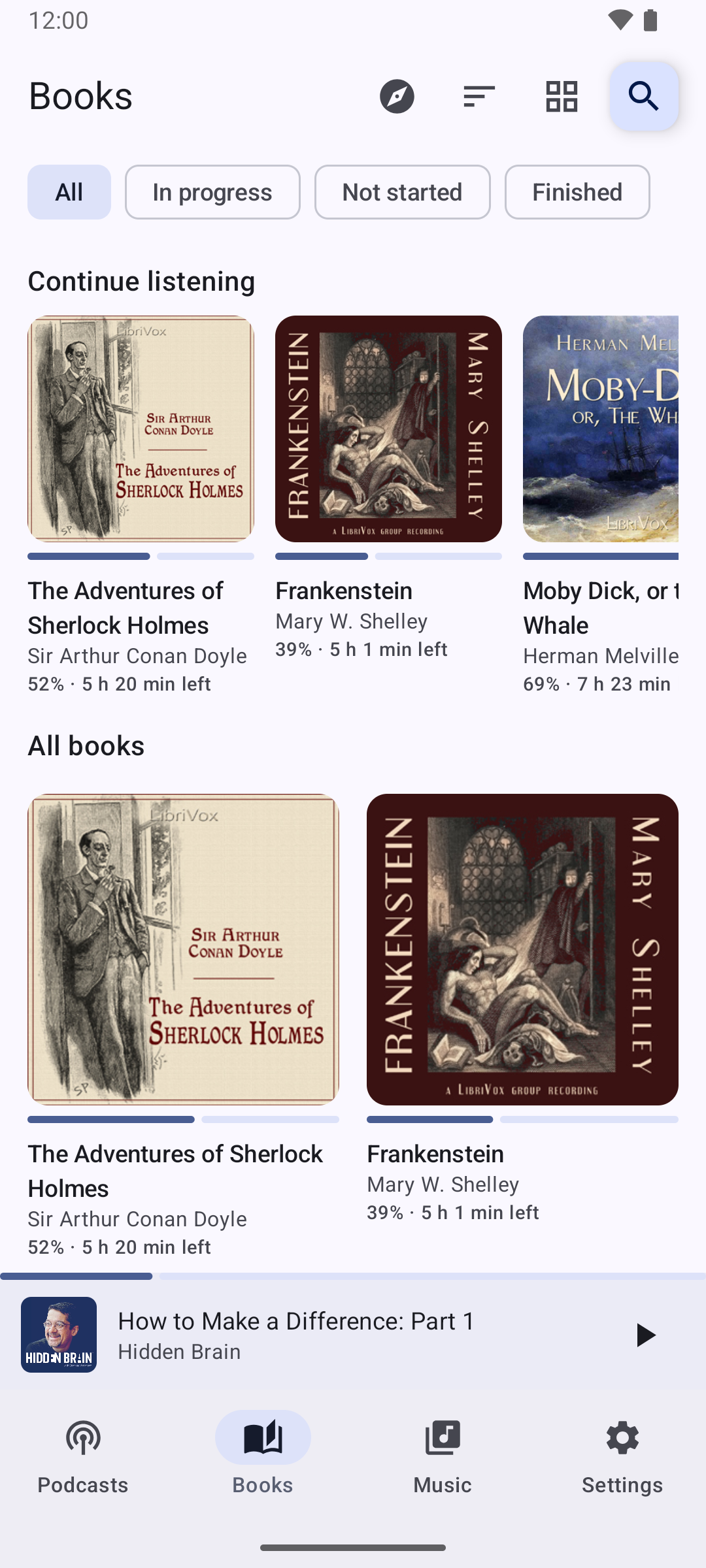
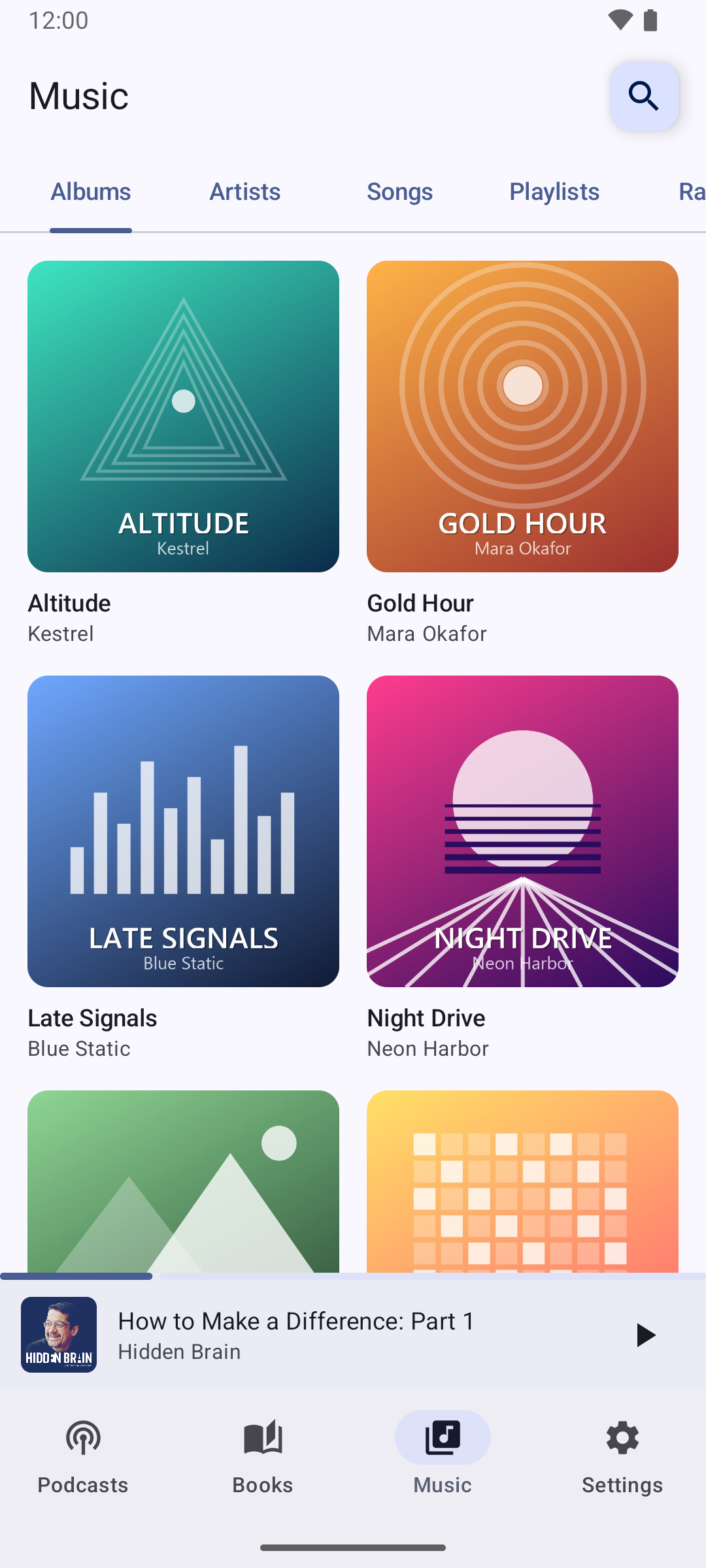
Most people juggle three or four apps: one for podcasts, one for audiobooks, one for music, maybe one for radio. BPM puts them in one. The Podcasts tab is a full podcast app — subscriptions, a New list of unplayed episodes, Up Next, downloads, per-show speed and intro skipping. The Books tab holds your own audiobook files and thousands of free public-domain books from LibriVox, and always picks up where you left off. The Music tab plays the albums on your phone, with playlists, and live internet radio from a community directory of stations.
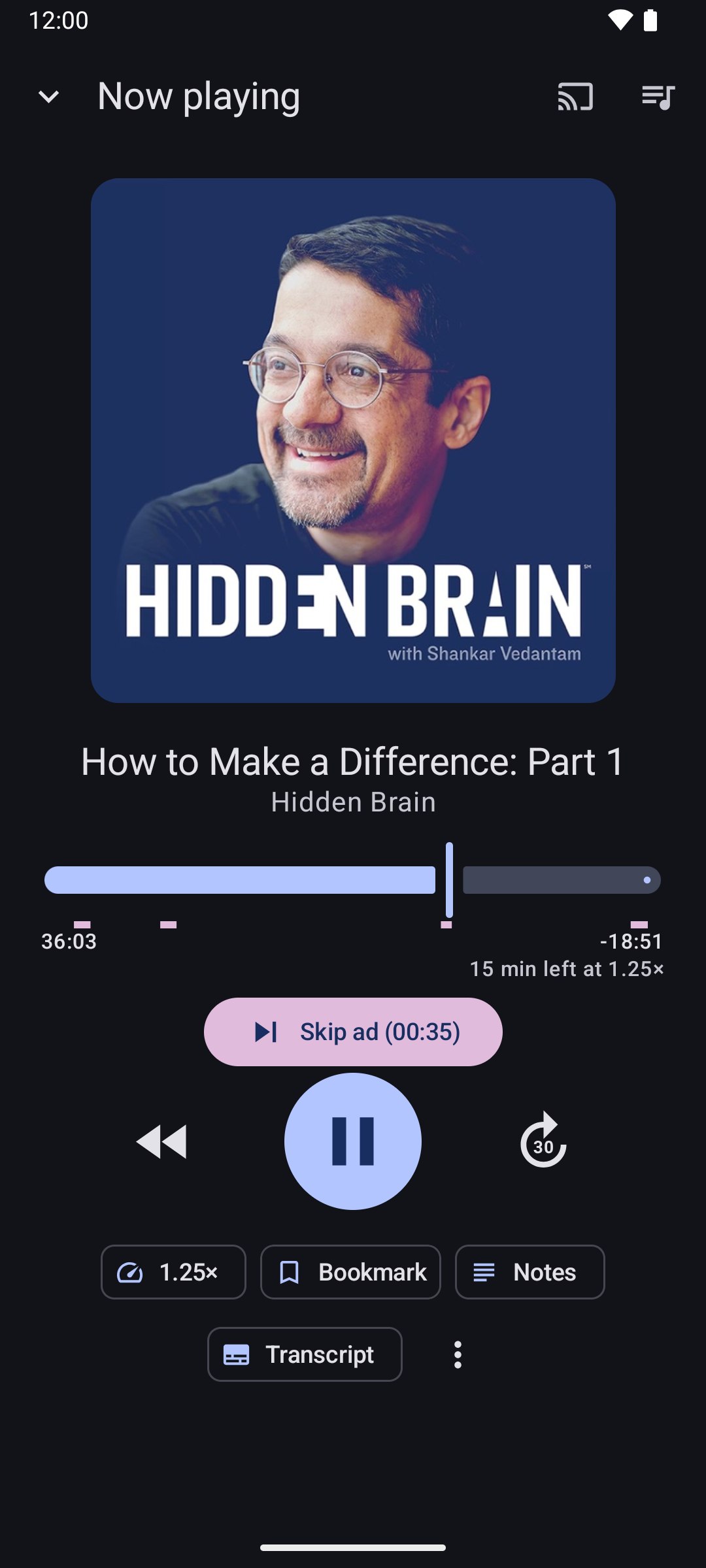
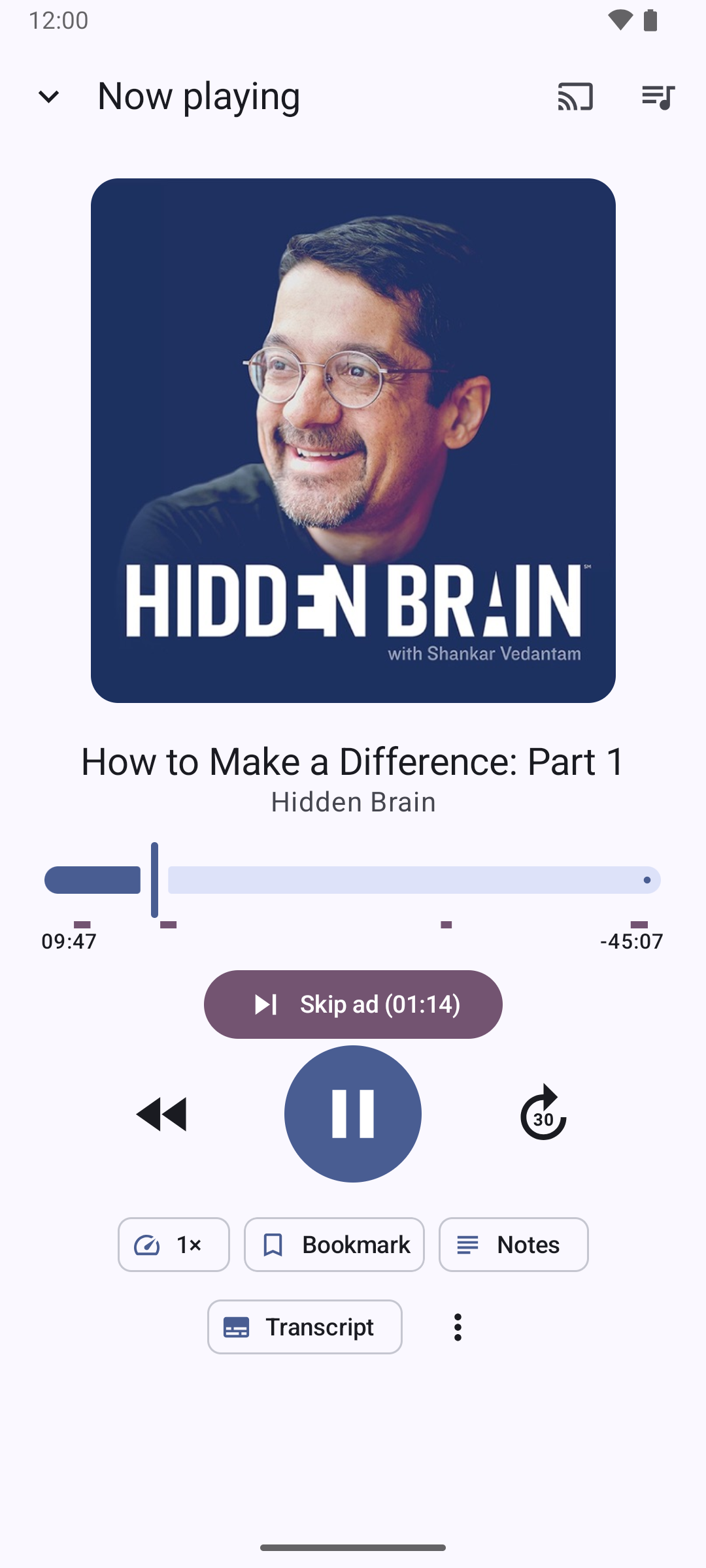
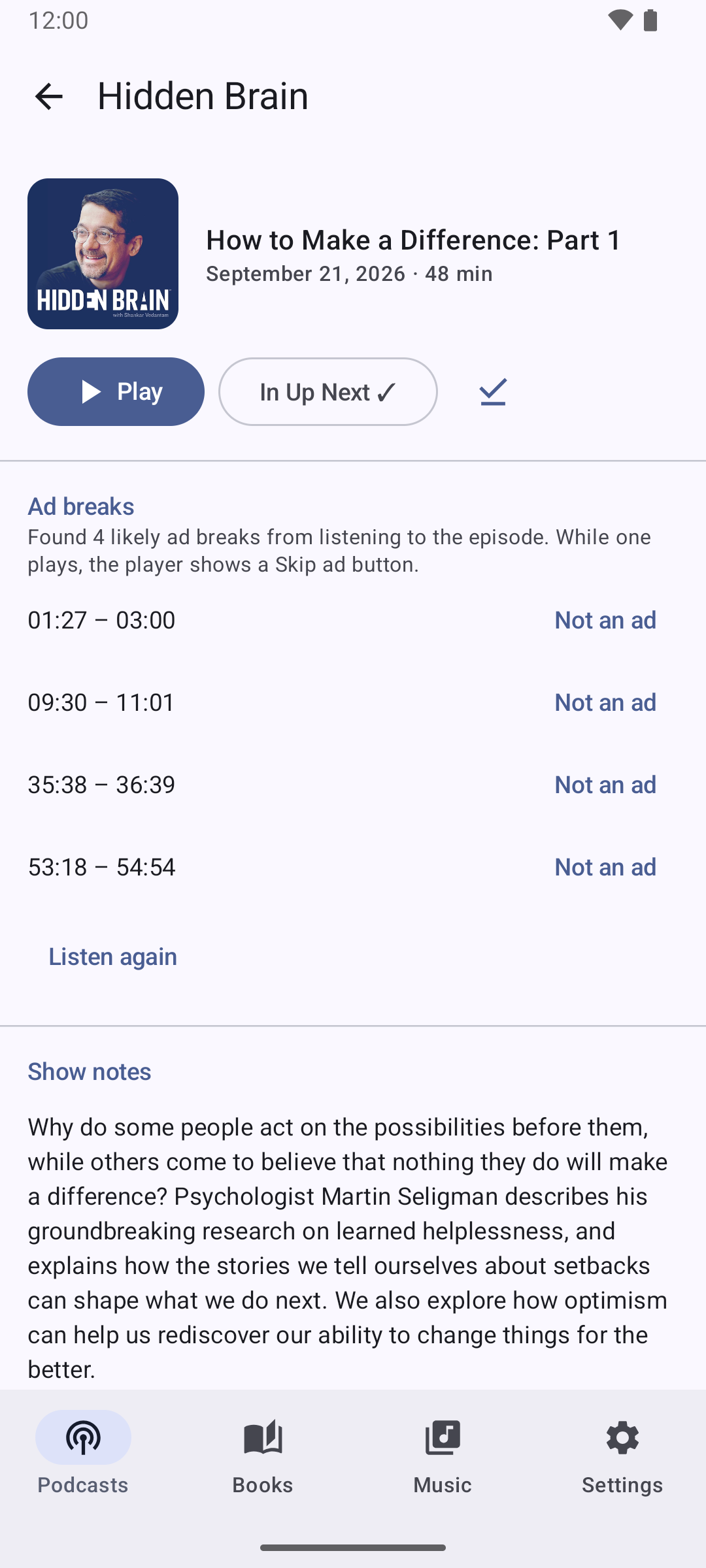
Its standout trick is ads. When a show marks its ad breaks in its chapters or transcript, BPM uses them. For the many shows that don't, BPM can listen to the episode itself — on your phone, with an on-device speech model — find the sponsor reads, and mark them on the seek bar. A Skip ad button jumps straight to the end of the break, or BPM can skip them for you.
And it goes where you go: Android Auto in the car, Chromecast at home, headphone buttons, a home-screen widget, a Quick Settings tile and the lock screen. No account, no sign-up — your library lives on your phone, and a single backup file takes it to a new one.
What It Does
Six real, shipped features — not roadmap copy.
Finds the Ads. Skips the Ads.
BPM uses the ad breaks shows mark in their chapters and transcripts — and for every other episode it can listen for sponsor reads itself, right on your phone. Breaks are marked on the seek bar; tap Skip ad, or turn on automatic skipping. Wrong guess? Tap "Not an ad".
A Real Podcast App
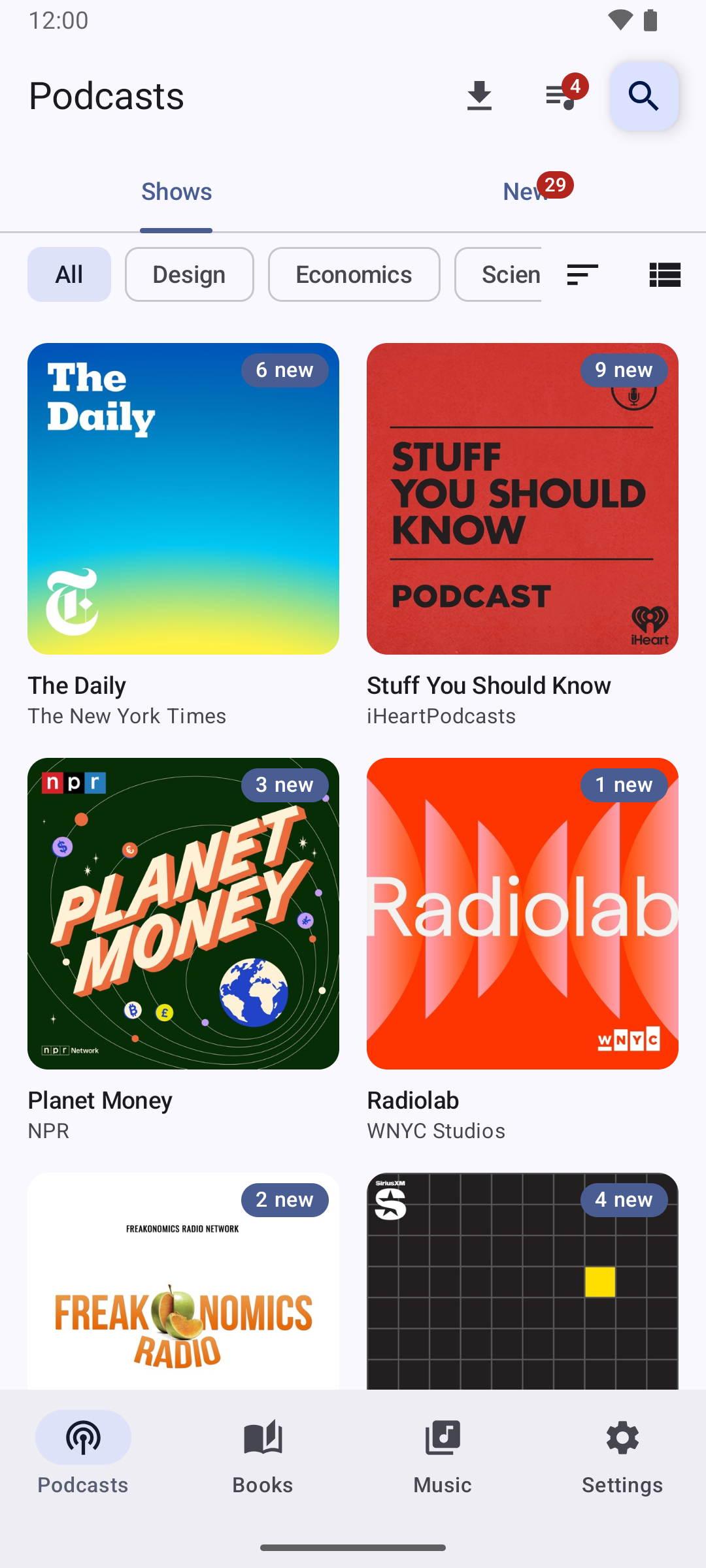
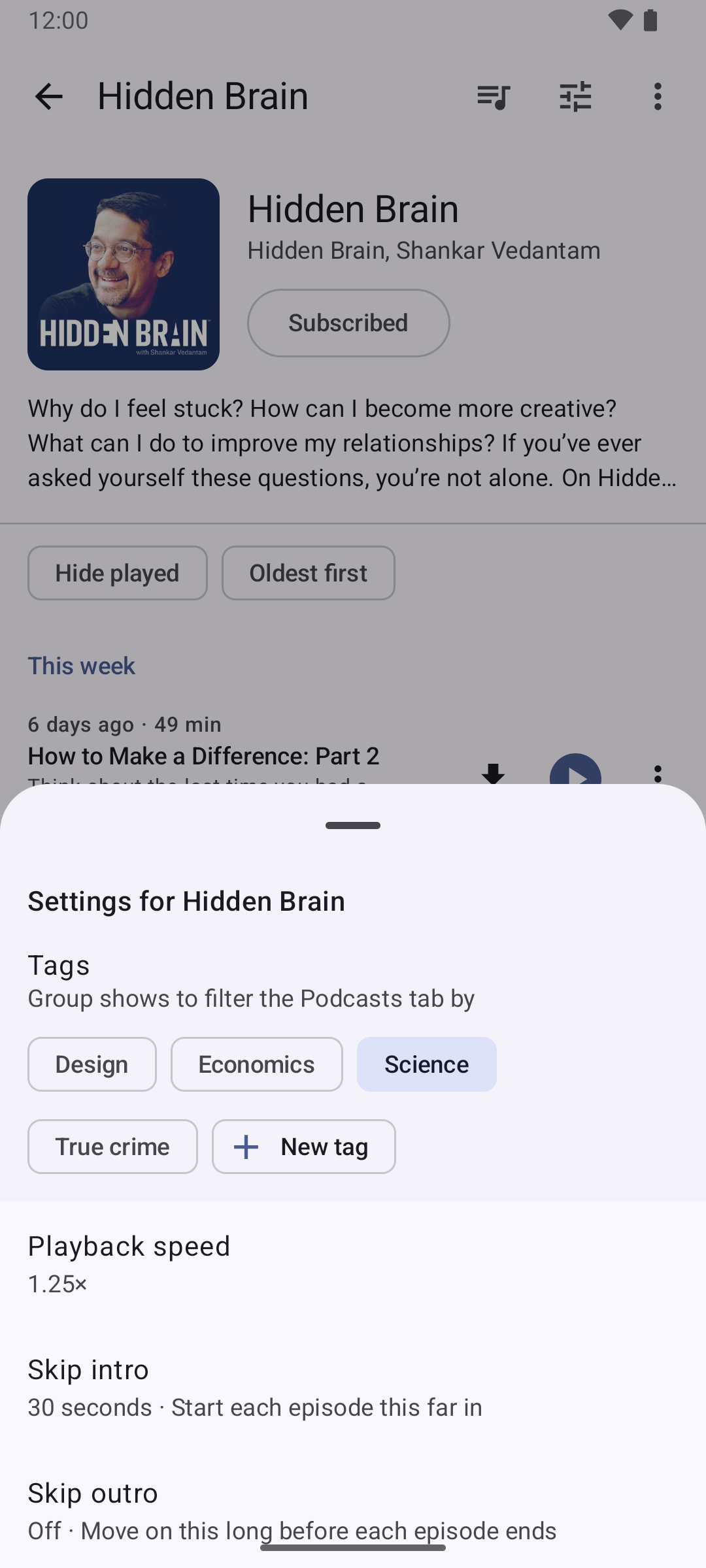
Search the Apple Podcasts directory or browse the charts by category. Subscriptions as a cover grid or a list, a New tab of unplayed episodes, tags to group shows, Up Next across shows, downloads, and new-episode notifications. Every show can have its own speed and skip its intro.
Audiobooks That Remember Your Place
Point BPM at your audiobook folder and every book appears with its cover and chapters, in the right order. Or add free LibriVox audiobooks in one tap and download them for offline listening. Each book resumes at the exact chapter and second, with bookmarks and notes.
Your Music and Live Radio
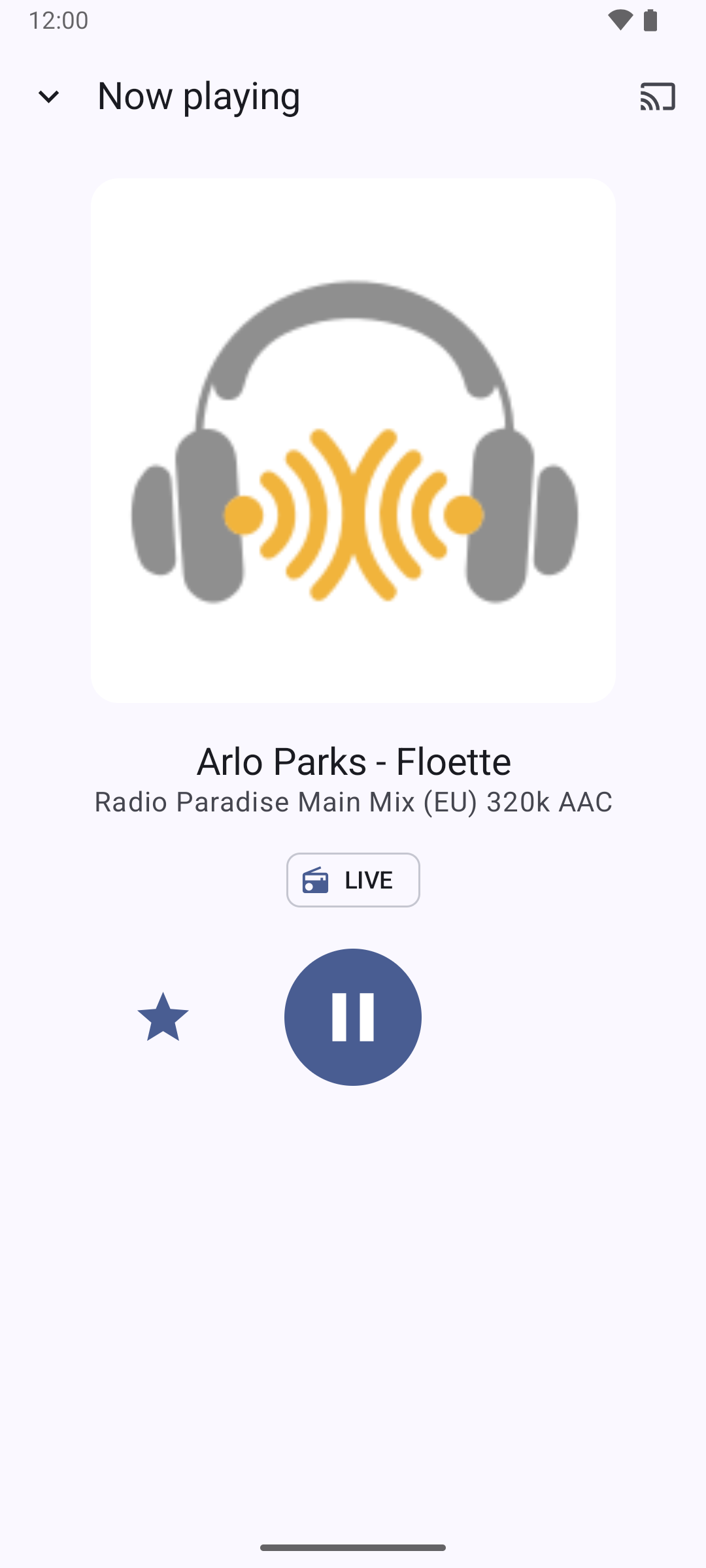
Albums, artists and songs straight from the files on your phone — no uploading, no subscription — with playlists, shuffle and repeat. Plus internet radio: save your stations, see what's popular near you, and see the song that's playing right now.
Made for the Car
BPM is an Android Auto media app. Browse your shows, books, music and stations on the car screen, search, or just say "Hey Google, play Hidden Brain on BPM". Episodes show as cards, books resume where you stopped, and the Skip ad button is there too.
Listening You Can See
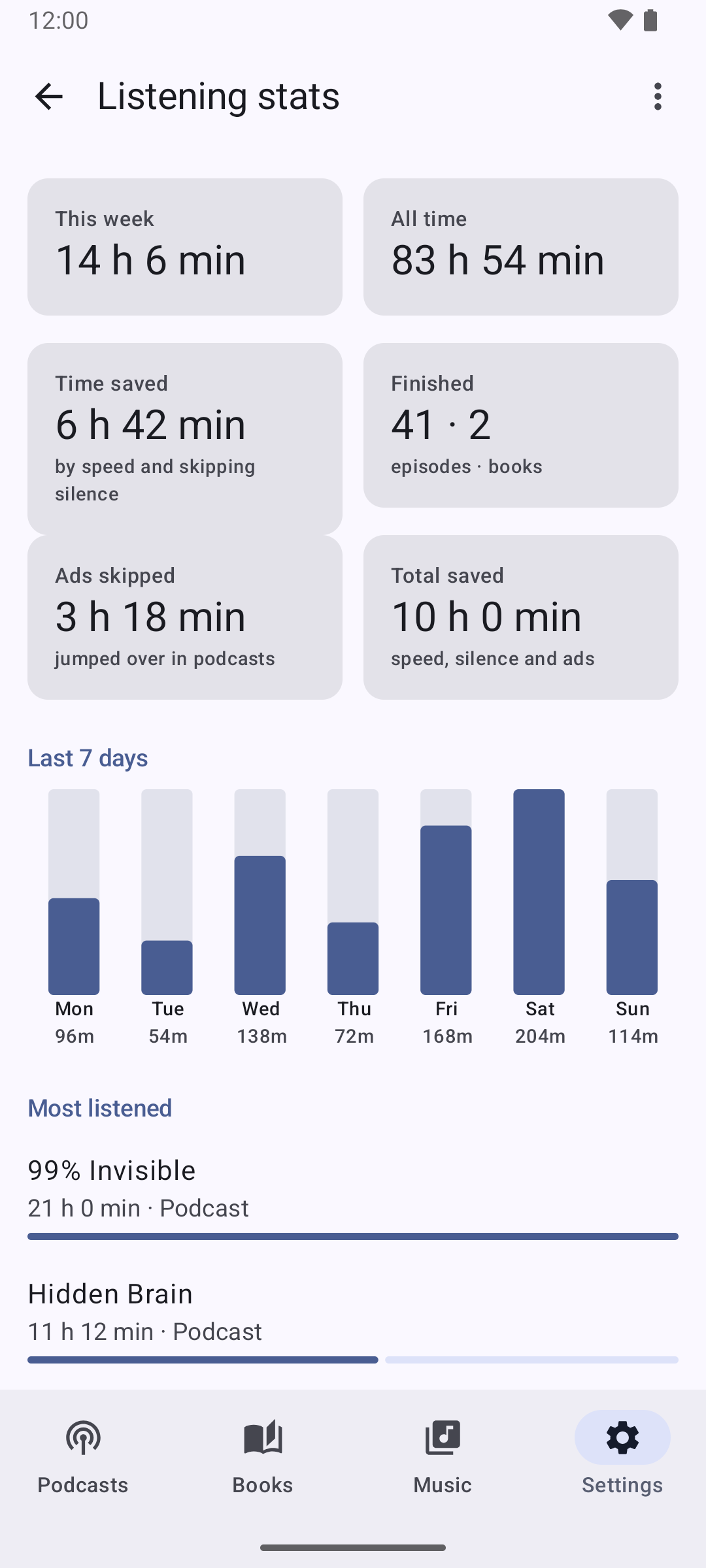
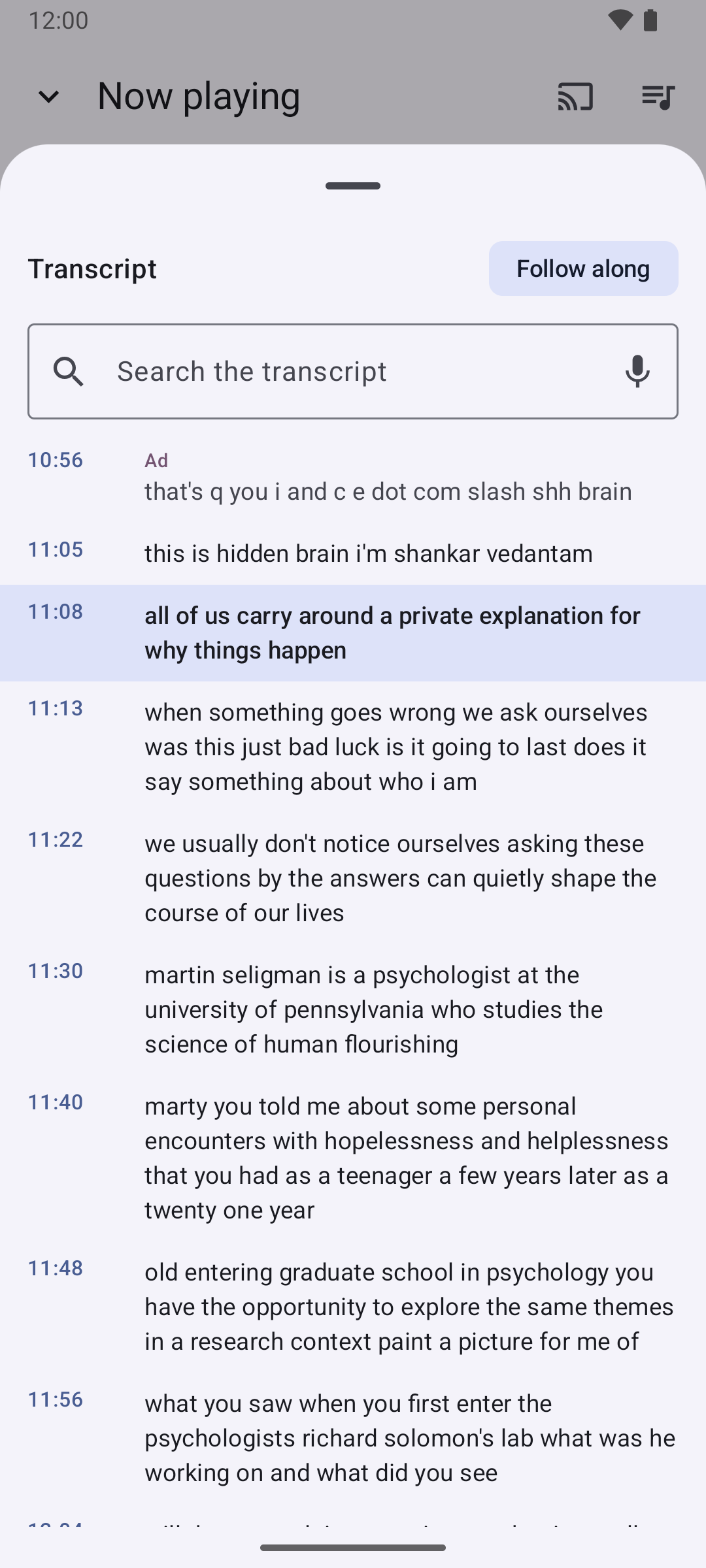
Listening stats show your week at a glance, your most-played shows and books, and how much time BPM saved you — by speed, by trimming silence, and by skipping ads. Transcripts made while finding ads can be searched, followed along, and tapped to jump to that moment.
Set Up Once, Listen Everywhere
Four tabs, one player. Subscribe to a few podcasts, point BPM at the folders where your audiobooks and music live, save a couple of radio stations — and from then on everything plays, resumes and skips the same way, on your phone, in your headphones and in your car.
Bring Your Shows
Search by name, topic or host, browse the charts, or import your subscriptions from another podcast app with an OPML file.
Add Your Books and Music
Pick your audiobook and music folders once — BPM reads the covers, chapters and tags itself, with no storage permission needed. Or tap "Find free audiobooks" and add classics from LibriVox.
Listen Your Way
Set a default speed, give a show its own speed, skip intros and outros, trim silence and boost quiet voices. Line episodes up across shows in Up Next, and let BPM find and skip the ads.
Take It Anywhere
Plug into Android Auto, cast to a speaker, control it from your headphones, the lock screen, a widget or the Quick Settings tile — and back everything up to a single file whenever you like.
A Look Inside
Real screenshots, captured on an Android emulator — not mockups. Shown without the banner ad, which you can remove with a one-time purchase.
Built for People Who Listen a Lot
One App Instead of Four
Podcasts, audiobooks, music and radio share one player, one mini player, one set of headphone controls and one car screen. Pausing a book to hear a song doesn't lose your place in either.
Ad Skipping That Doesn't Spy
Finding ads by listening runs entirely on your phone with an offline speech model. The episode's audio is never uploaded, and the transcript it makes stays on the phone too — where you can search it.
Your Files, Your Way
Audiobooks and music come from folders you choose, read straight from the files' tags and covers — nothing to upload, nothing to subscribe to, no storage permission. Subscriptions export as standard OPML, and one backup file carries everything else to a new phone.
No Account, No Sign-Up
Nothing to register. Your library, progress and stats live on your phone. The only things that go online are what you'd expect: podcast searches and feeds, radio streams, LibriVox books, and the ad banner that keeps the app free.
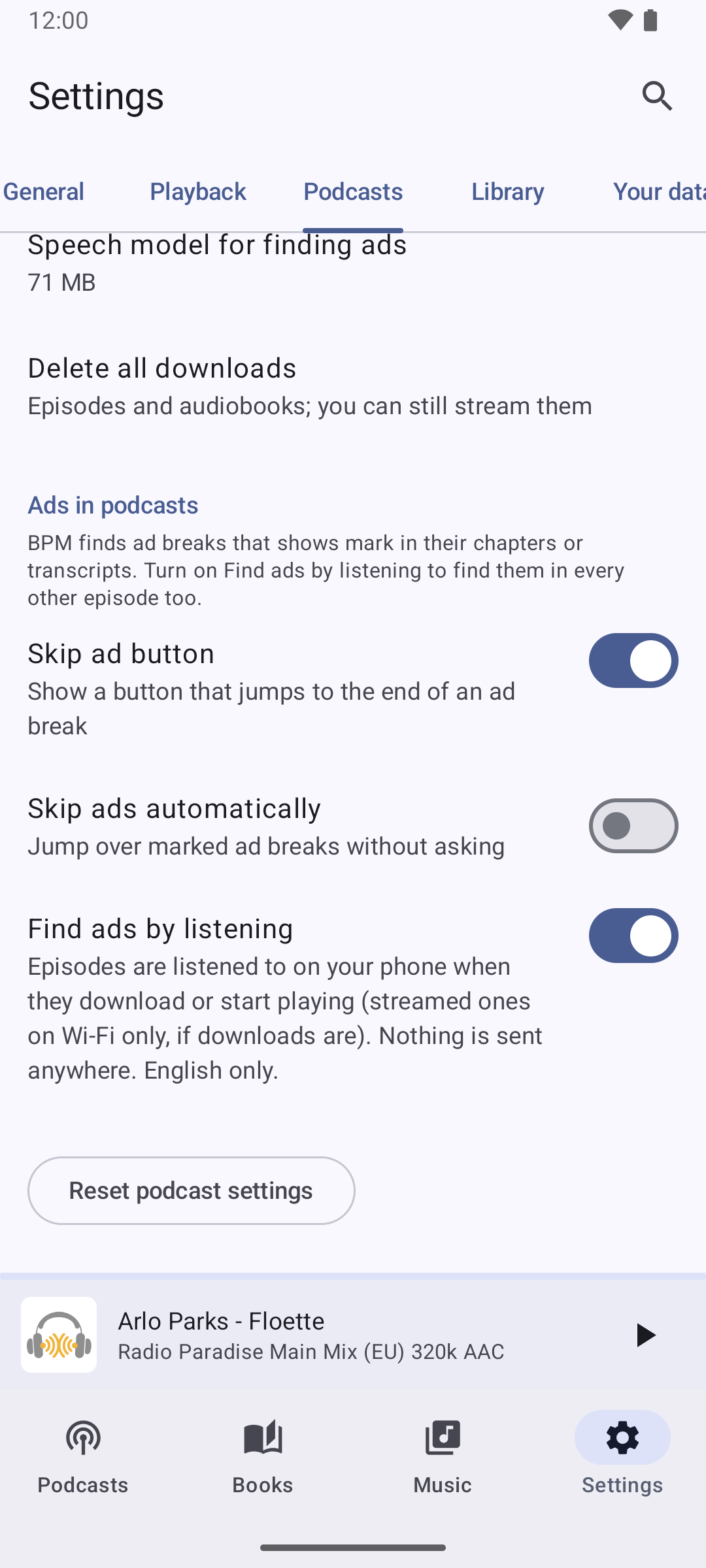
Ad skipping, on your terms — and nothing is sent anywhere.
BPM is free, with a small banner ad you can remove once with a one-time purchase — and no account needed. If it's been useful, you can also support future TRK Studios apps directly:
Free audiobooks are public-domain recordings by LibriVox volunteers, served by the Internet Archive. Radio stations come from the community directory at radio-browser.info. Podcast search uses the Apple Podcasts directory. Podcast names, artwork and station logos shown in screenshots belong to their owners; BPM is not affiliated with or endorsed by them. Android, Android Auto and Chromecast are trademarks of Google LLC.