MemeCraft
The quickest way from "that's funny" to "sent". Pick a photo, take one, or start from a popular template, tap to write your top and bottom text, and MemeCraft saves it and opens your chat apps so you can send it straight away.
Make a meme in seconds.
Classic Memes, Without the Fuss
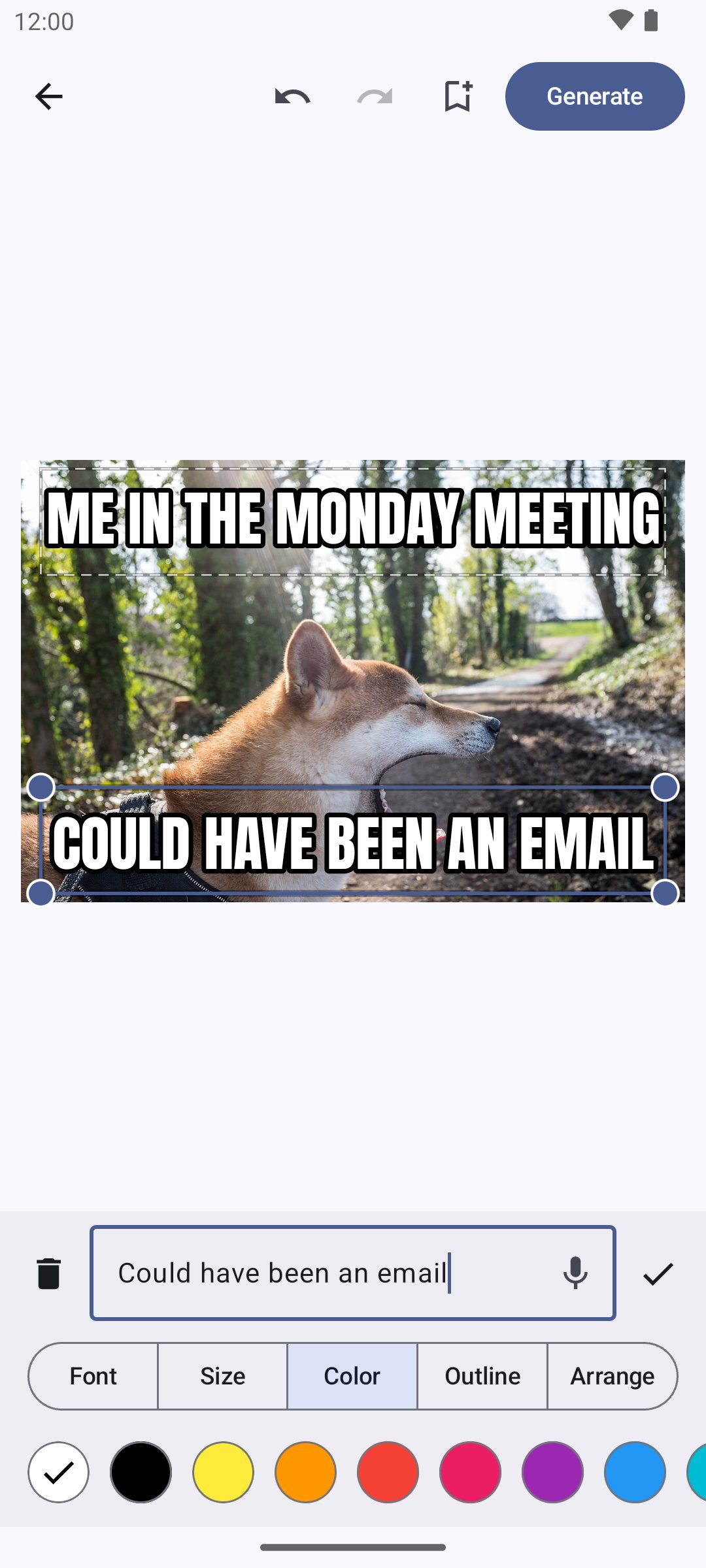
Most meme makers are either a website full of pop-ups or a full photo editor where the text is an afterthought. MemeCraft does one job and does it fast. Pick a picture from your phone, take one with the camera, or share a photo into MemeCraft from any other app. It opens with "TOP TEXT" and "BOTTOM TEXT" ready to go, in the classic white letters with a black outline.
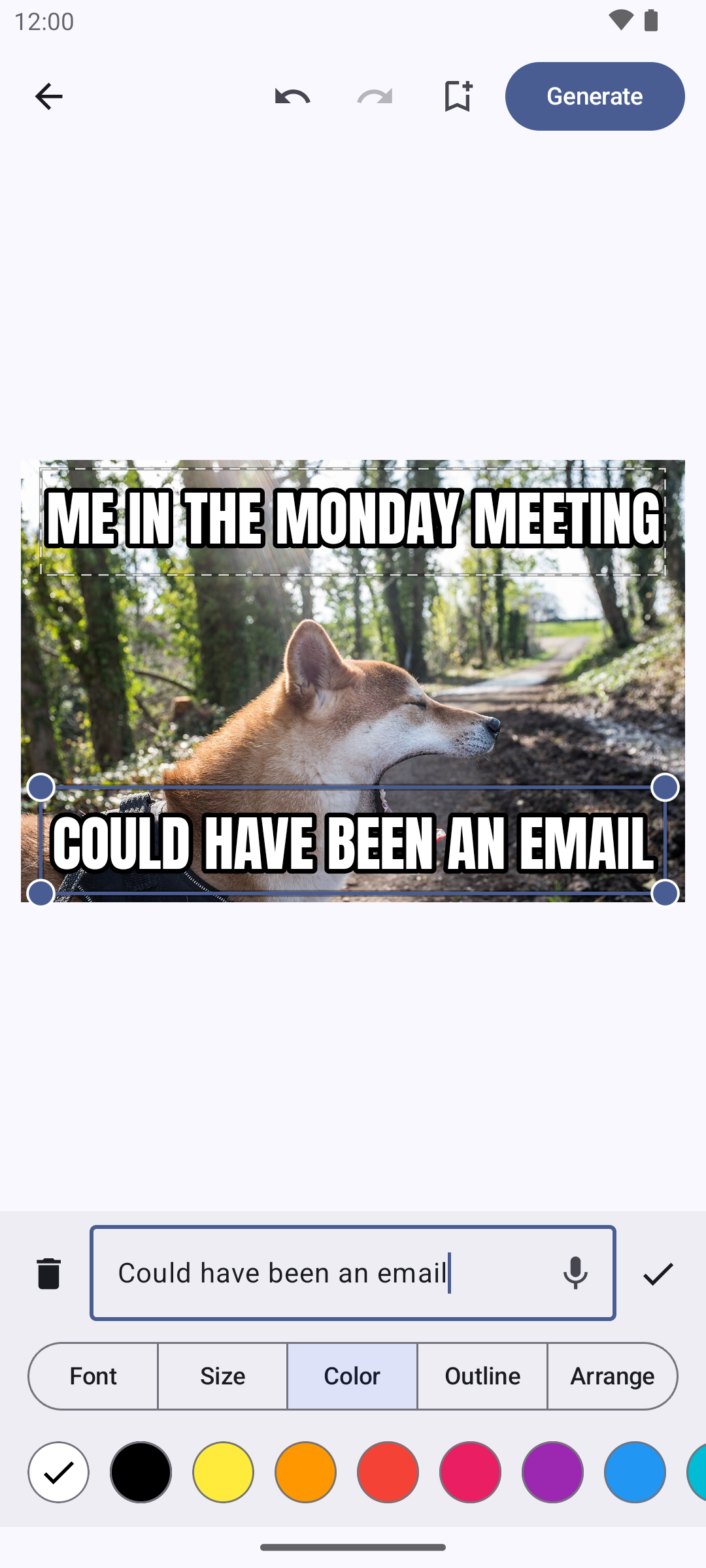
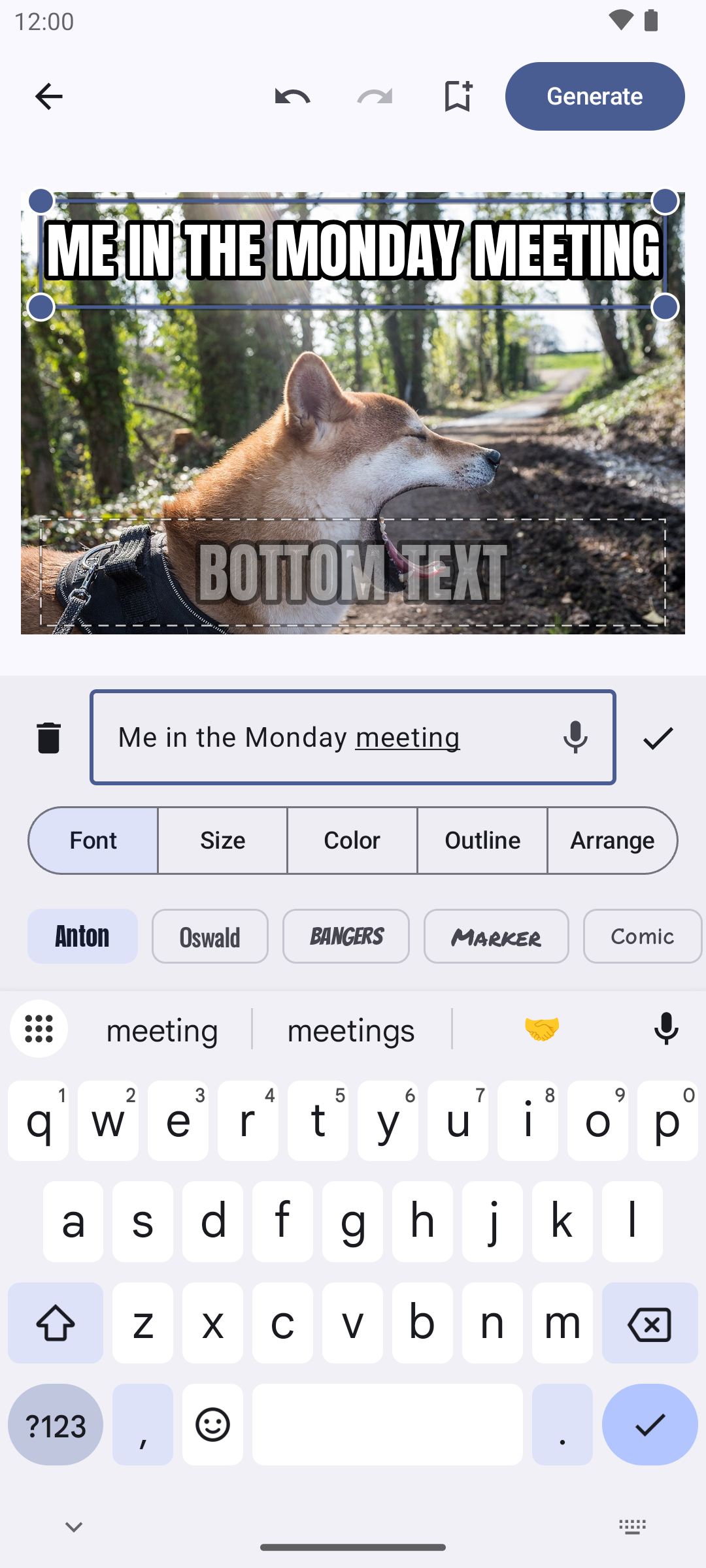
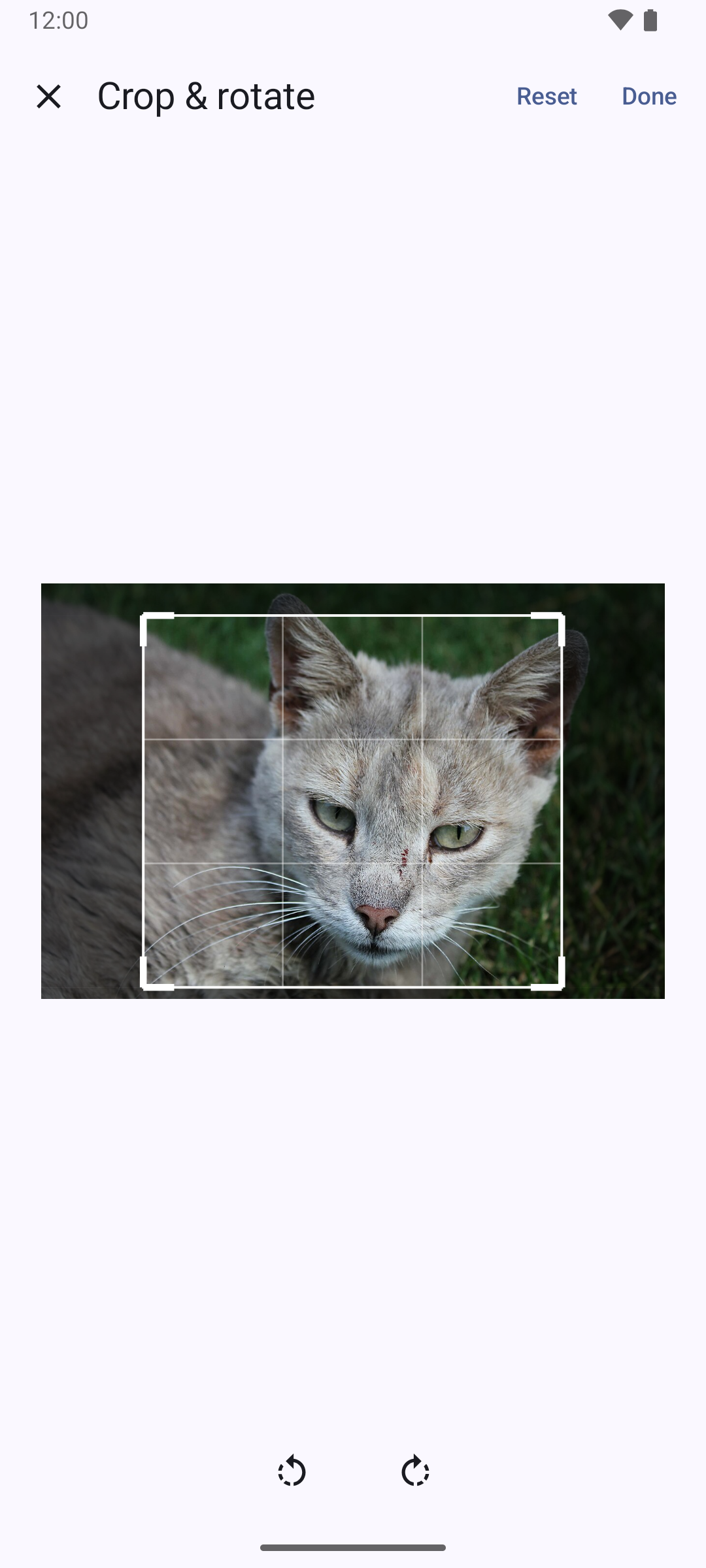
Tap a box and type — or tap the mic and just say it. Long captions shrink to fit their box automatically, so nothing ever runs off the edge. Drag a box to move it, drag a corner to resize it, add as many as you like, and change the font, size, color and outline of each one. Crop or rotate the picture, or drop a second picture on top of it.
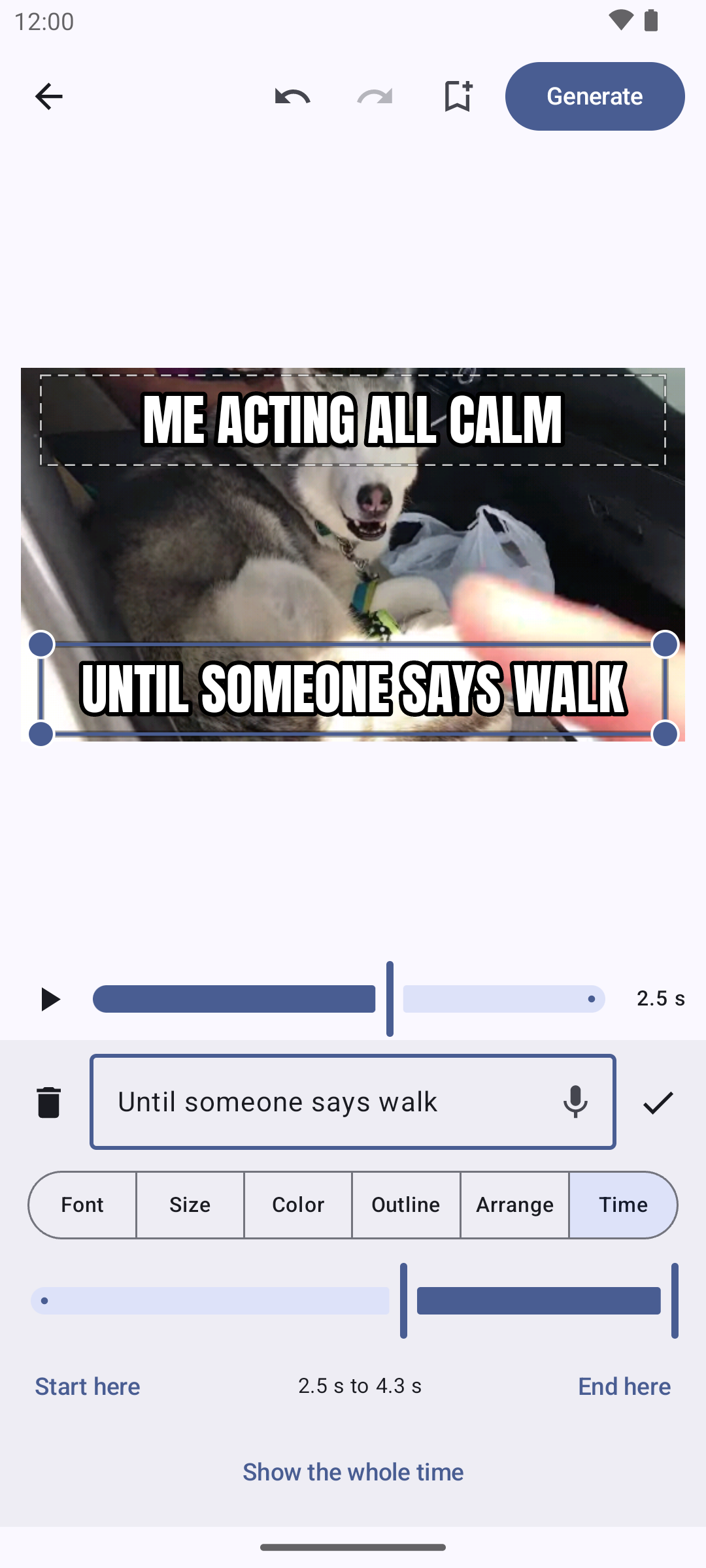
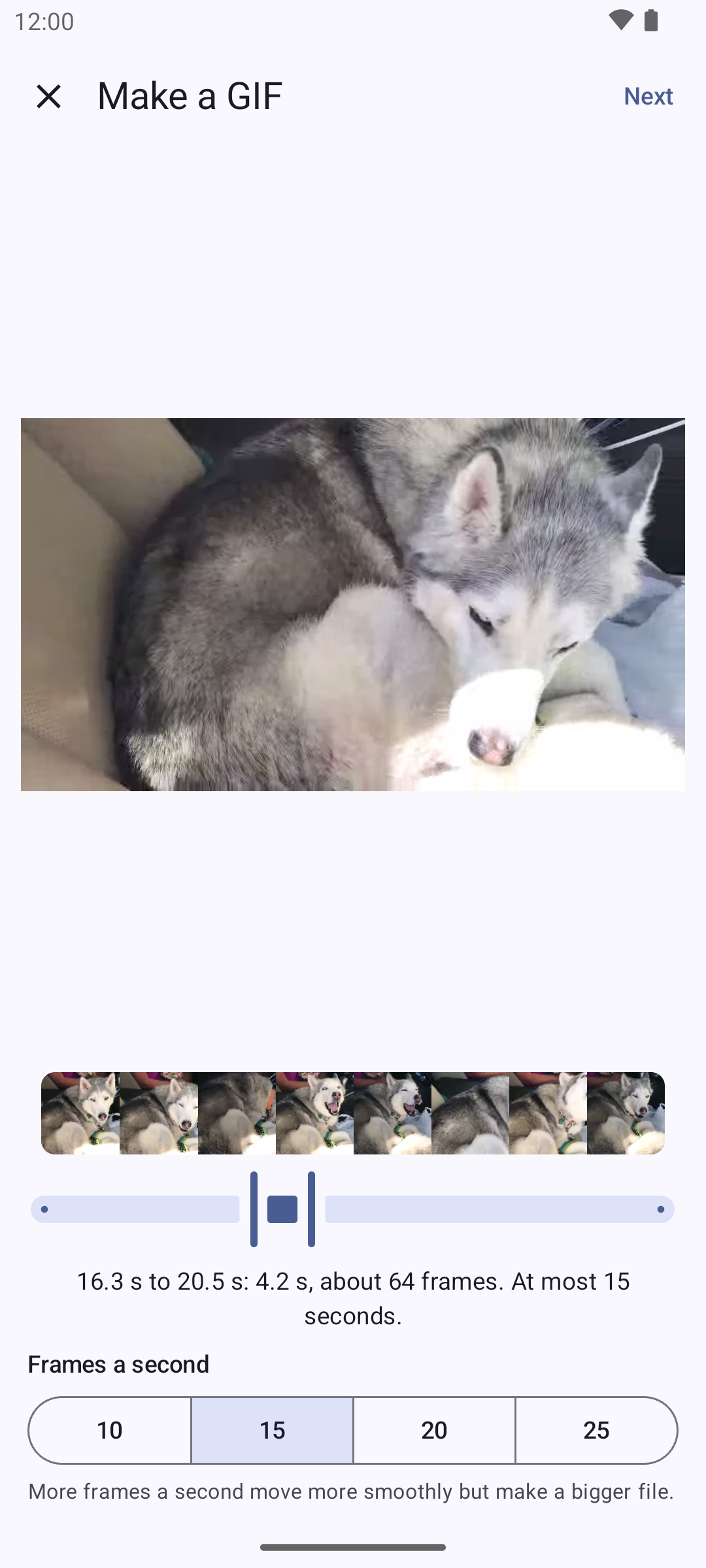
It does GIFs too. Open one, or turn up to 15 seconds of any video into a GIF, and give each caption its own start and end time so the punchline lands on the right frame.
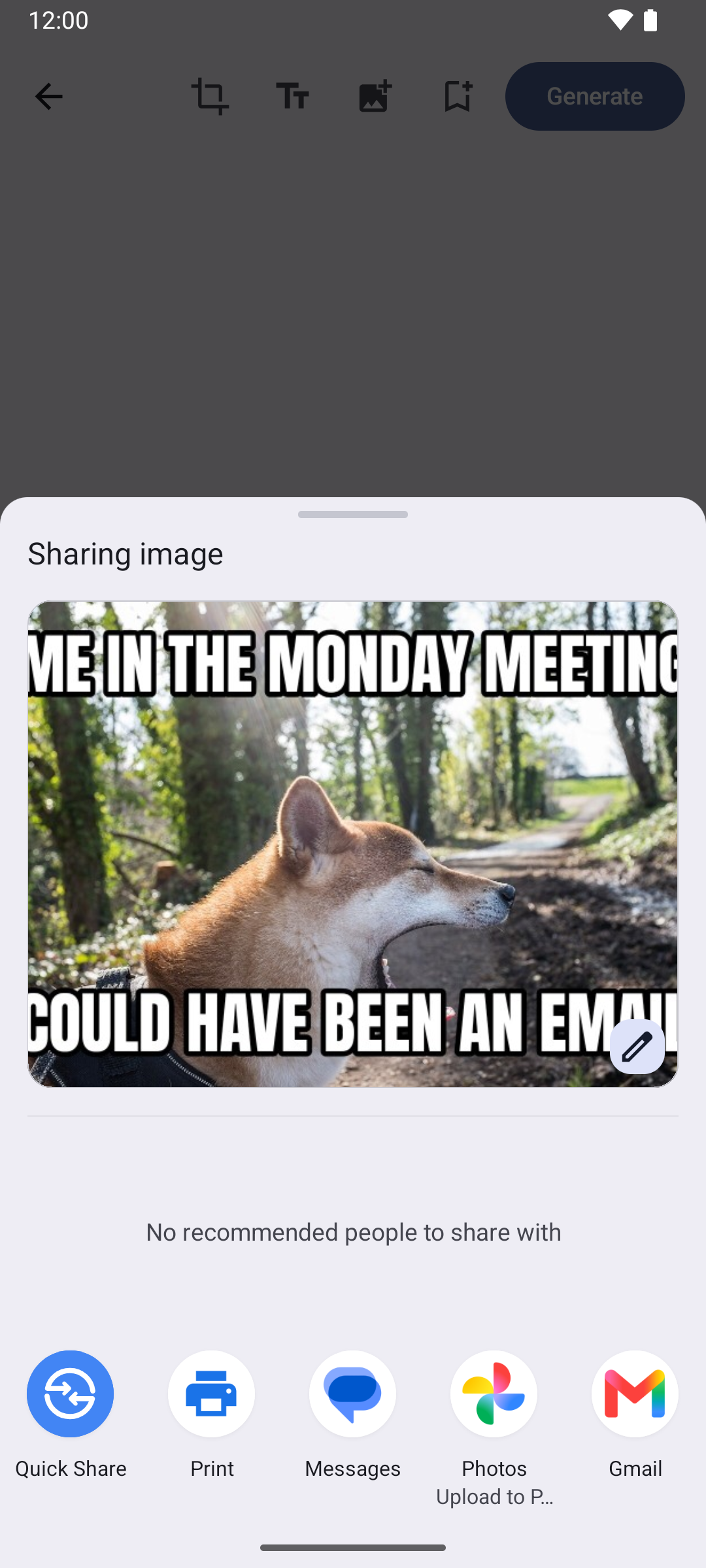
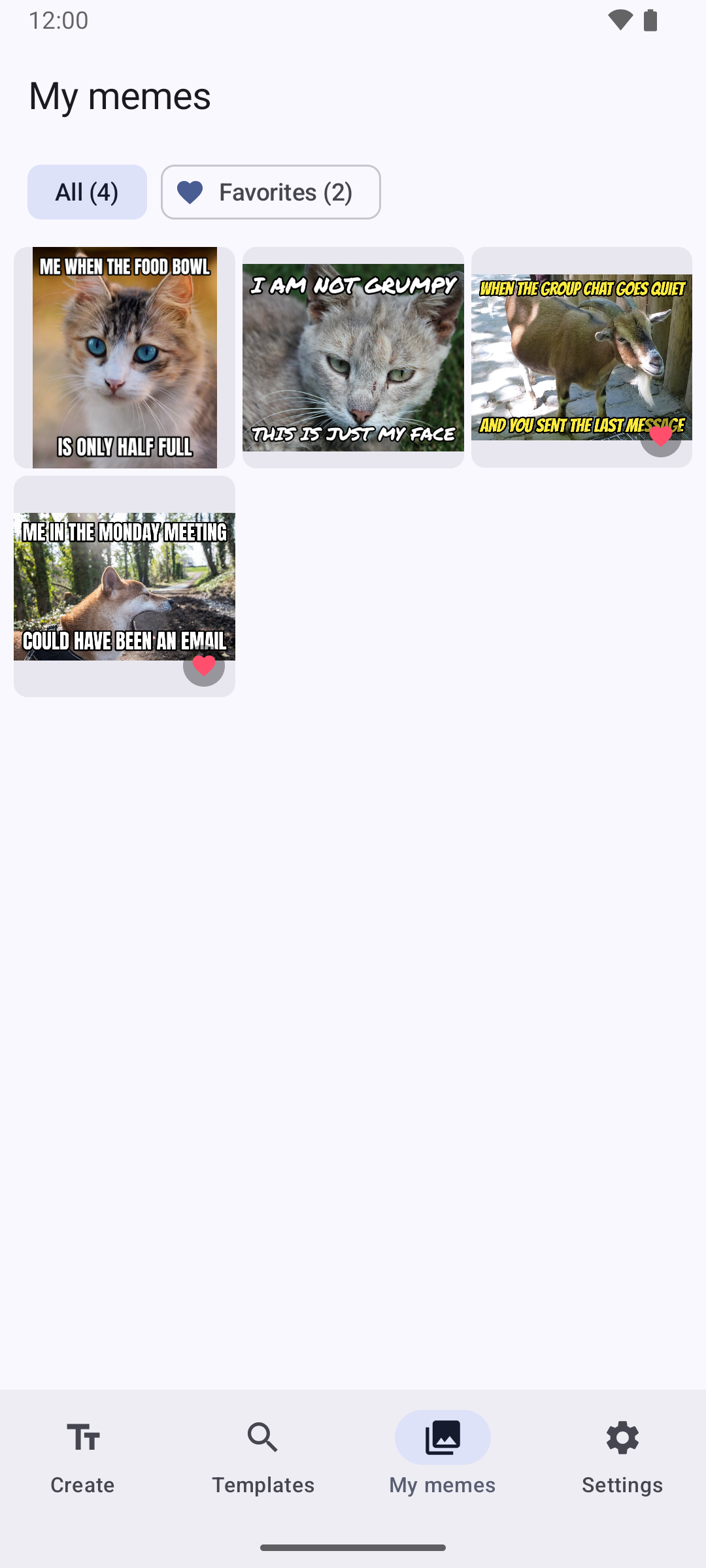
Tap Generate and the meme is saved to your phone and the share menu opens, so it's in the group chat a second later. Every meme you make waits in My memes, where you can favorite the best ones, send them again, or delete them.

What It Does
Six real, shipped features — not roadmap copy.
Any Picture, Three Ways
Choose a photo, take one with the camera, or share a picture into MemeCraft from your gallery or any other app. Crop and rotate it with a couple of drags. No storage or camera permission needed.
Text That Always Fits
Every meme starts with top and bottom text in the classic style. Long captions shrink to fit their box, so nothing gets cut off. Move boxes, resize them from the corners, add more or remove them — or tap the mic and say your caption instead of typing it.
Make It Yours
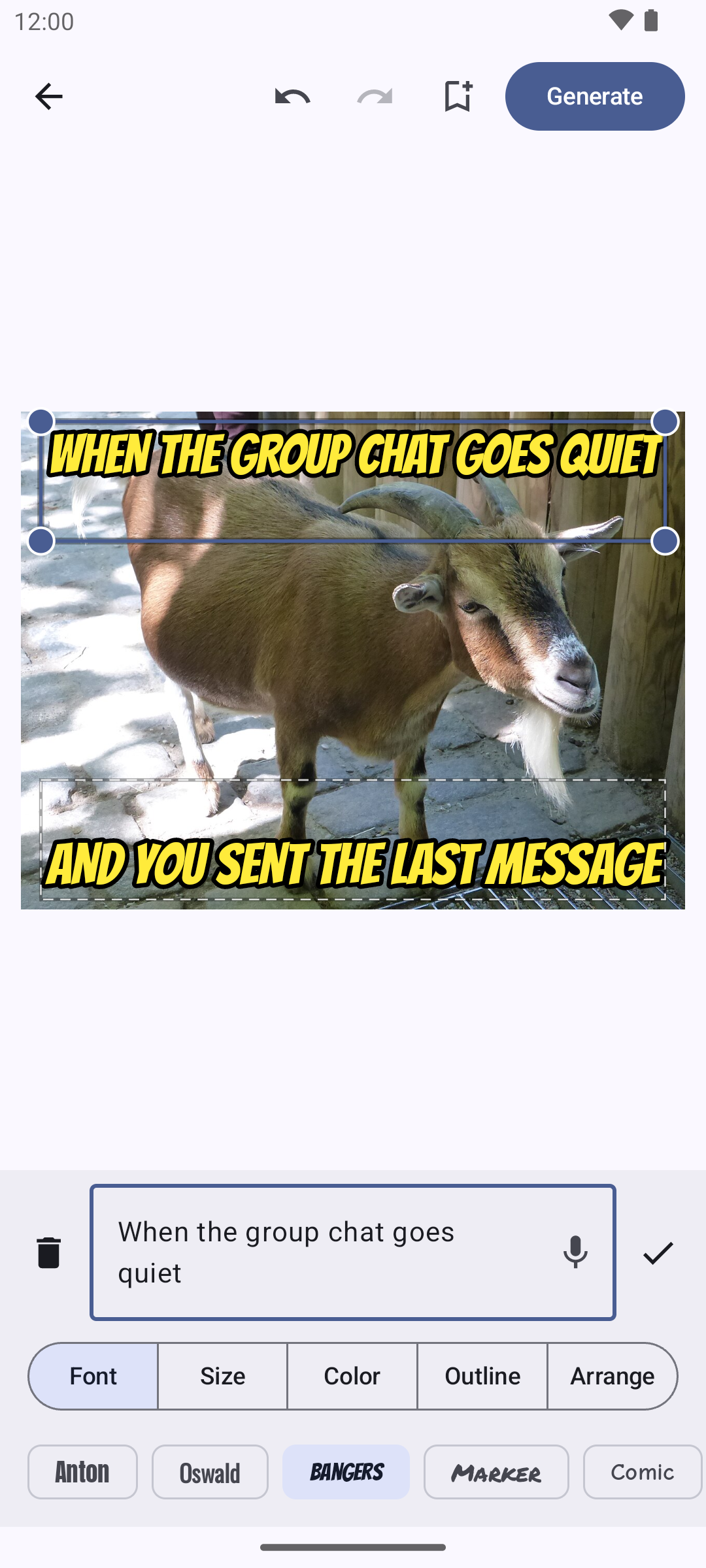
Five meme fonts — Anton, Oswald, Bangers, Marker and Comic — twelve text colors, and an outline from none to thick in any color, set box by box. Choose the style new text starts with in Settings.
GIFs, Too
Open a GIF, or turn up to 15 seconds of any video into one. Give each caption its own start and end time so the punchline lands on the right frame, then save and send it as a GIF.
Templates, Including Your Own
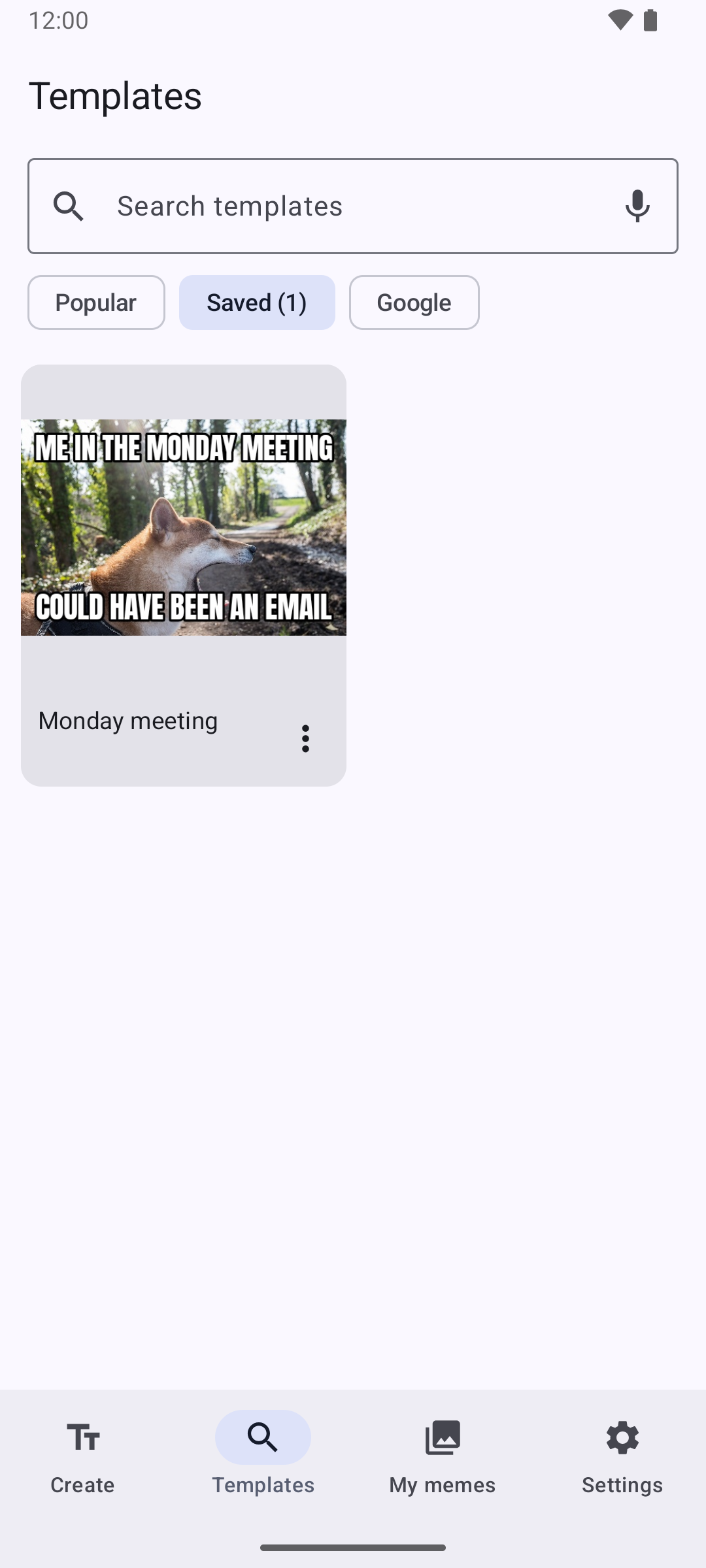
Search the popular meme templates by name, or search Google Images for exactly what you typed and long-press a picture to use it. Save your own layouts — the picture, every text box, font and color — and start new memes from them.
Saved, Sent, and Kept
Generate saves the meme to your phone's Pictures and opens the share menu to pick a chat. Every meme waits in My memes: favorite the best ones, send them again, or delete them.
From Photo to Group Chat in Four Taps
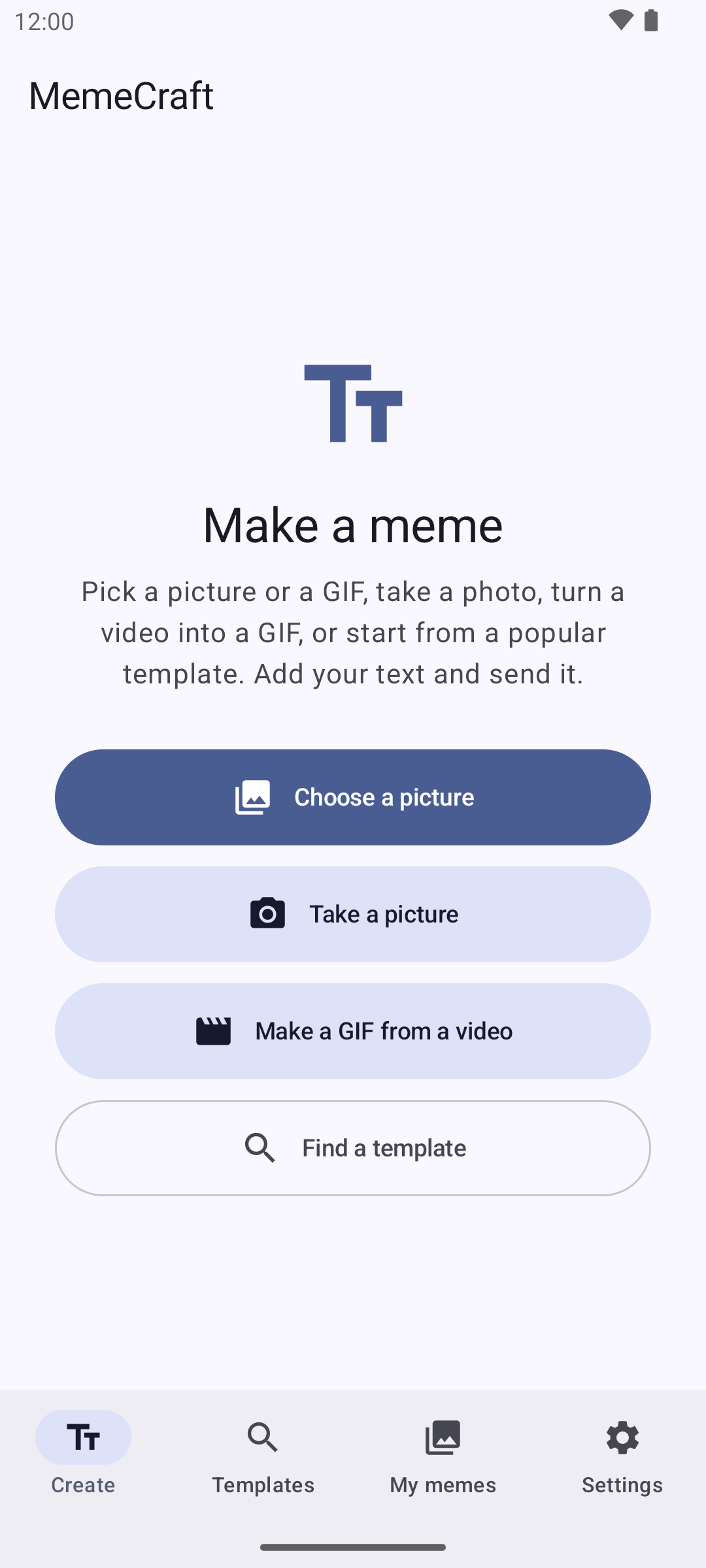
No accounts, no watermark, no menus to dig through. MemeCraft opens on one screen with three buttons, and every meme follows the same four steps.
Pick a Picture
Choose one from your phone, take a photo, share one in from another app, or start from a template. For a GIF, pick a GIF or a video.
Write Your Text
Tap the top or bottom text and type, or tap the mic and say it. It shrinks to fit the box by itself.
Style It
Change the font, size, color or outline, drag boxes where you want them, add more text, crop the picture or add a second picture on top.
Generate and Send
One tap saves it to your phone and opens the share menu. Pick a chat and it's sent.
A Look Inside
Real screenshots, captured on an Android emulator — not mockups. Shown without the ad banner.
Built for Sending, Not Fiddling
Straight to the Chat
Generate saves the meme and opens the share menu in one tap. No export screens, no "download your image" pages, no watermark.
The Text Just Works
Classic white-with-black-outline captions are ready before you type. Long lines shrink to fit, boxes resize from the corners, and you can say your caption instead of typing it.
Your Pictures Stay on Your Phone
Memes are made on the phone. Your photos are never uploaded, and the app needs no camera or storage permission — Android's own photo picker and camera hand it just the picture you chose.
No Account, No Sign-Up
Nothing to register. Your memes live in your phone's Pictures, and your saved templates and settings stay in the app. The only things that go online are template lists, Google searches you make, and the ad banner that keeps the app free.
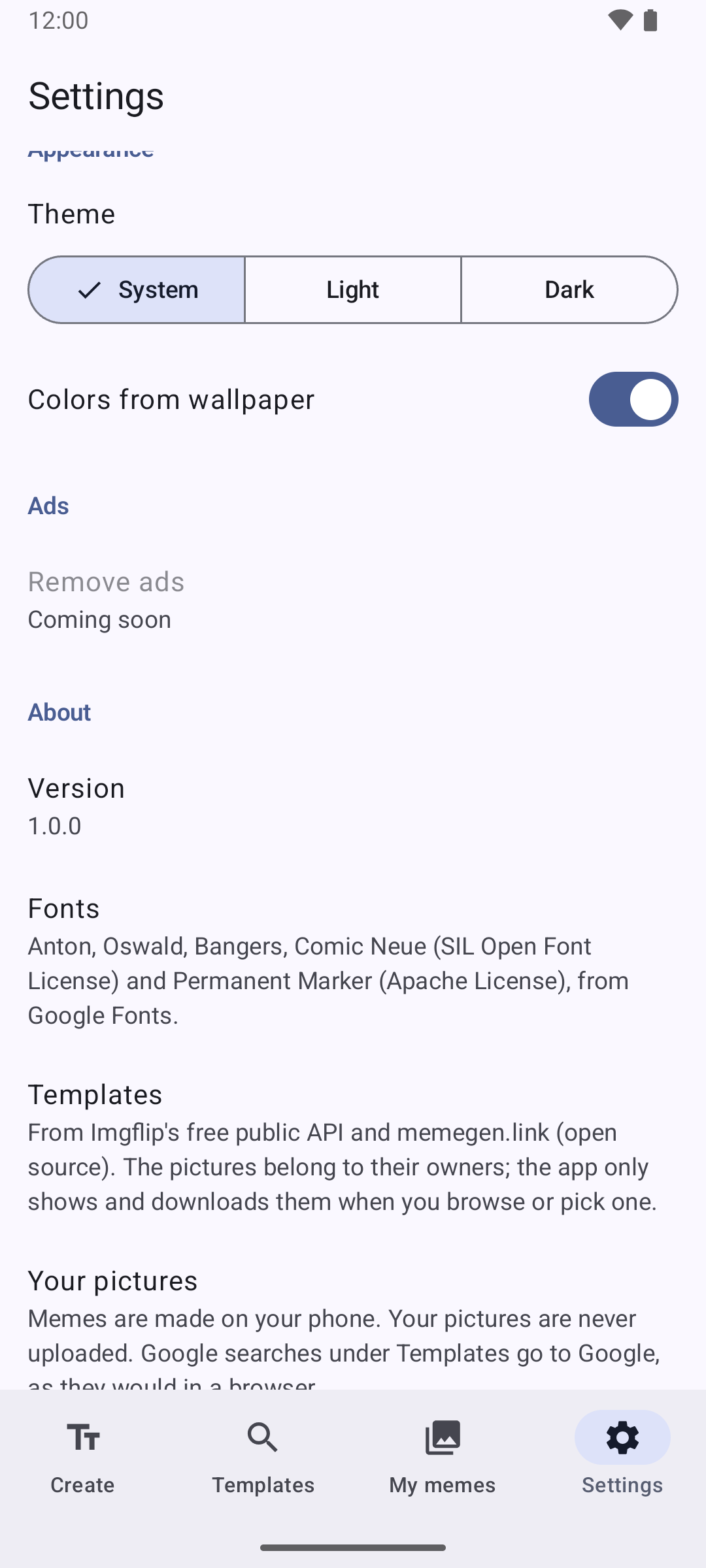
Fonts, template sources and privacy, all spelled out in Settings.
MemeCraft is free, with a small banner ad, and no account needed. If it's made you laugh, you can also support future TRK Studios apps directly:
Meme templates come from Imgflip's public API and memegen.link (open source); the template pictures belong to their owners. Fonts: Anton, Oswald, Bangers and Comic Neue (SIL Open Font License) and Permanent Marker (Apache License), from Google Fonts. Photos and the video in the screenshots are public domain (CC0) from Wikimedia Commons. Google, Google Images and Android are trademarks of Google LLC; MemeCraft is not affiliated with or endorsed by Google, Imgflip or memegen.link.